Step-by-step guide
NYC (NYPD) Add Firearm Guide
Quick GlanceHow to add a newly bought handgun to your NYPD license through the NYPD licensing portal: what to have ready, each screen to tap, and the photos the NYPD wants.
Step 1: Check If You Qualify
You need an NYPD handgun license. This guide is for license holders adding a handgun to a license they already have (38 RCNY 5-25). On the portal, you start by choosing that license.
One firearm every 90 days. The NYPD screen says: "No person shall acquire a firearm if such person has acquired a firearm within the previous ninety (90) days" (NYC Admin Code § 10-302.1). If you try to register more than one firearm in 90 days, you will not get an authorization form for the next one until the 90 days have passed (38 RCNY 5-25).
Check the color. A firearm with a substantial part of its outside colored anything other than black, dark grey, dark green, silver, steel or nickel is considered "deceptively colored" and will not be registered to a New York City license. A wood or ivory handle (or one colored to look like wood or ivory) is allowed (NYC Admin Code § 10-131).
How many handguns. Concealed Carry and Special Carry: two handguns, and the NYPD reviews requests for more. You may carry only one at a time; the others must stay safeguarded. Premises Residence: one, with more approved on request. Premises Business: one. Non-Resident Carry: requests to add more than one handgun are not approved (38 RCNY 5-25(g)).
From my experience, the NYPD allows more than two handguns, even though the two-gun limit is written in the rules. You will always need to show pictures of your safe storage. The law still allows you to carry only one firearm on you at a time.
Have a Special Carry? Add the handgun to your county license first, following your county's purchase rules. Then ask the NYPD License Division in writing to amend your Special Carry, with your current county carry license, the county Handgun Purchase Authorization form and the bill of sale (38 RCNY 5-25(h)). See the NYC (NYPD) Special Carry Guide.
Step 2: Get Your Purchase Authorization
You may not take possession of a handgun without written authorization from the NYPD License Division (38 RCNY 5-25(c)).
Your authorization is the initial Purchase Authorization form issued with your license (not the mail-in Purchase Authorization Request Form, Misc. 3323). You upload a copy of it in Step 6.
Good for 30 days. The purchase authorization form is valid for 30 calendar days from the date it is issued, and you give it to the dealer when you buy (38 RCNY 5-25(c)).
Editor's NoteFrom my experience, many people take much longer than 30 days, some even six months. Eventually the NYPD catches up and emails or calls you with a short deadline, often one or two weeks. If you miss it and this is your first purchase, your license can be canceled. My advice: don't push it off. Get it done as soon as you can.
The dealer fills in the NICS check number on the form. You will upload this form with your request.
Buy a safety locking device with the gun: a trigger lock, a combination handle, or a steel or metal locking device (38 RCNY 5-25(b)).
72 hours. Within 72 hours of the purchase, contact the License Division to request inspection of the handgun and the locking device. You can do this through the request on the NYPD portal (Steps 4 to 6) (38 RCNY 5-25(d)).
Editor's NoteFrom my experience, even though the rule says this, I don't know of anyone who requested or needed an inspection since everything moved online with photos. It's in the rule book, but the NYPD rarely uses it. Keep in mind the NYPD can still show up for an inspection at any time.
Not before it is on your license. You may not take possession of the handgun until the License Division has inspected it and entered it on your license (38 RCNY 5-25(d)).
Editor's NoteFrom my experience, you need the physical license card when you go to pick up the gun from the dealer. The NYPD prints the card and mails it to you by US mail. Once it arrives, you can pick up your gun.
Step 3: What You Need
Have everything ready before you log in. This list is from the NYPD's own instructions on the portal.
No fee. There is no fee to add a firearm.
Firearm information:
Make
Model
Caliber
Serial number
Documents and photos:
Your Purchase Authorization form (the initial one issued with your license), with the NICS check number filled in by the dealer.
The receipt / bill of sale for the firearm.
Firearm photo 1: the whole firearm, in color, with accurate colors.
Firearm photo 2: a close-up of the serial number, clear and readable.
Safe photos (at least 2, in color): one of the inside (door open, safe open) and one of the outside (safe closed) of your safe or container. Show the whole safe, not just part of it. No stock images.
File types: .JPEG, .JPG, .PDF or .PNG only.
Also listed in the NYC rule (38 RCNY 5-25(d)): a color photo of the safety locking device, and a bill of sale for the safe. The bill of sale for the handgun must show the make, model, caliber and serial number; the seller's name, address and license number (if any); and your name, address, license number and the date of sale. If you buy from a private person instead of a dealer, the bill of sale must be signed and notarized by the seller.
From my experience, I never had to upload a bill of sale for my safe. What you do need is your own photos of the safe, not stock photos from Amazon or a website: one with the safe closed and one with it open. Before you take them, remove anything in the safe you don't want on record.
From my experience, all photos of the firearm should be taken in good light on a white background, such as blank white paper or a white tablecloth. Place the firearm unloaded, with the slide open. The NYPD screen asks for the firearm with accurate color, a serial number it can read, and the entire safe.
Step 4: Start the Request
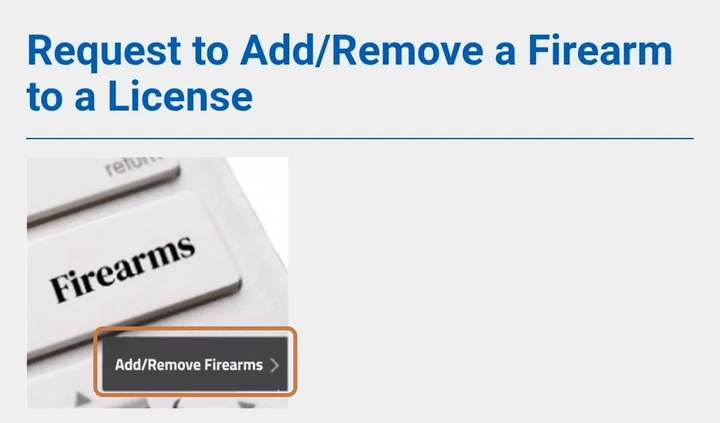
Log in to the NYPD licensing portal. Find "Request to Add/Remove a Firearm to a License" and tap Add/Remove Firearms.
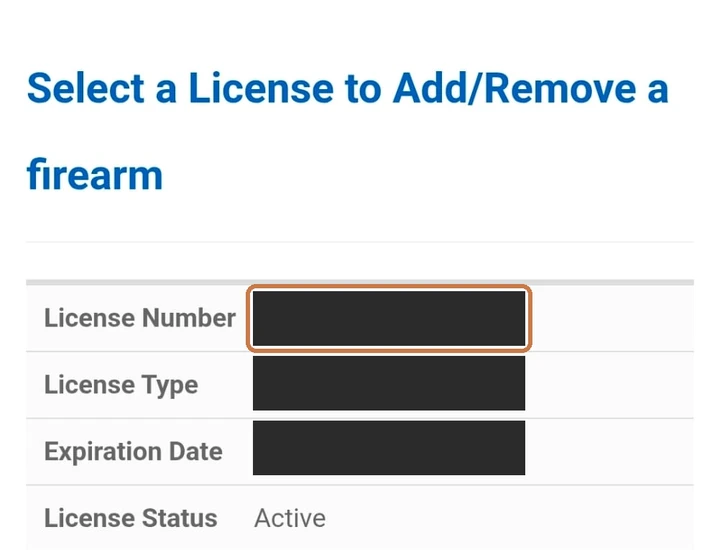
On "Select a License to Add/Remove a firearm", tap your license number.
Tap Start New Add/Remove Firearm Request. Your earlier requests are listed below it, under "Submitted Firearm Requests".
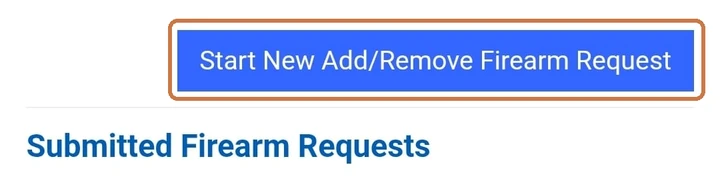
The Firearm Request page shows the NYPD's instructions, the same list as Step 3.
Step 5: Enter the Firearm
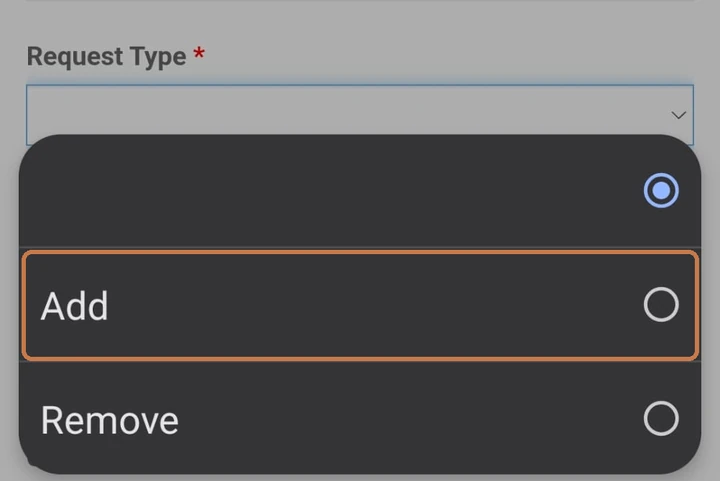
Request Type: choose Add.
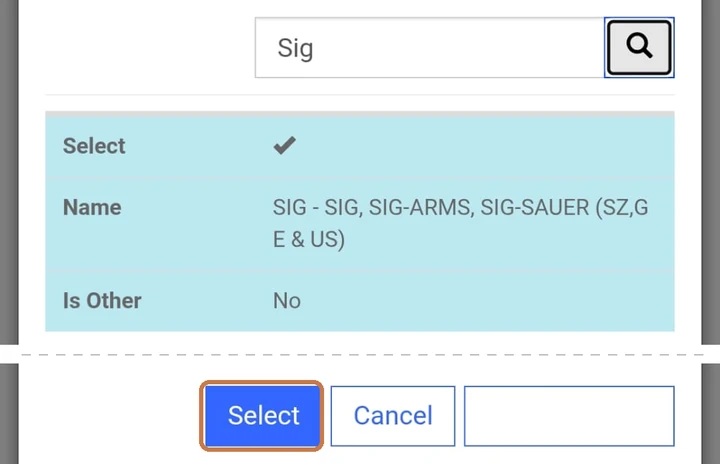
Make: tap the magnifier, type the brand (for example "Sig"), tap the search button, pick it from the list and tap Select.
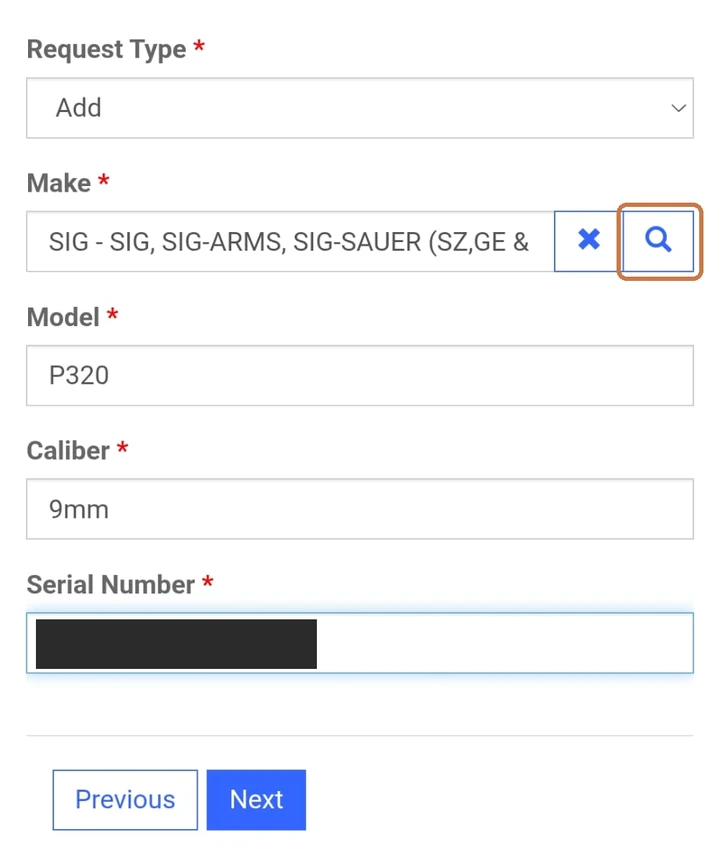
Fill in the Model, Caliber and Serial Number, then tap Next. All four fields are required.
Step 6: Upload Your Documents
Tap Upload Supporting Documentation. Accepted file formats: .JPEG, .JPG, .PDF and .PNG.
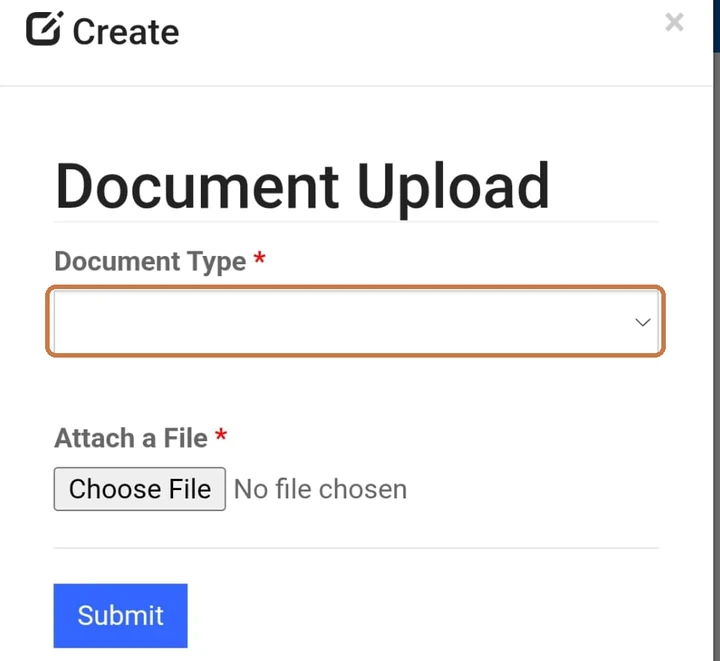
In the Document Upload window, choose the Document Type, tap Choose File, pick your file and tap Submit.
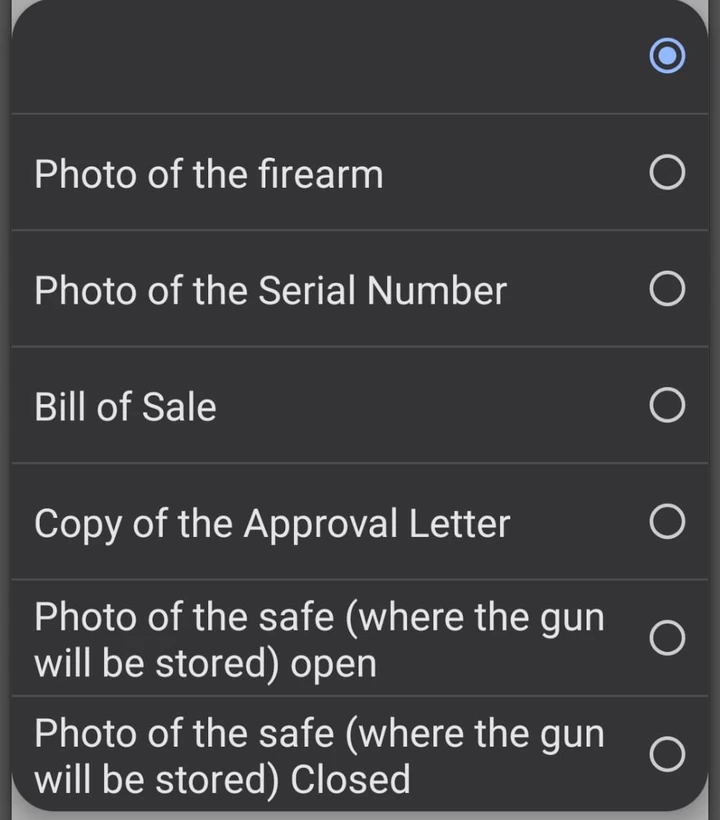
Do this once for each document, picking the matching Document Type: photo of the firearm, photo of the serial number, bill of sale, copy of the approval letter, and the safe open and closed. Upload your purchase authorization under "Copy of the Approval Letter" and the receipt under "Bill of Sale".
When every document is uploaded, tap Submit; you'll see a confirmation screen.
Before you upload anything, the list under the button reads "There are no records to display."
From my experience, you are not limited to one file per drop-down choice. You can upload more files or photos, such as the bill of sale or another receipt, or anything else to do with the firearm. You can also use the same choice three or four times. If you're worried a photo didn't come out well, like the close-up of the serial number, upload two or three. It's not a problem.
The upload page wouldn't take any file over 5 MB, whether a PDF or any other type.
After You Submit
Incomplete requests are turned down. The NYPD screen says: "Requests that are incomplete and/or violate any applicable provisions of rule or law will be disapproved. If your request is disapproved, you will need to correct the issue and resubmit the request."
The safe can be rejected. The License Division may reject a safe or locked container if it finds the safety features are not enough (38 RCNY 5-25(d)).
Wait for it to be on your license. You may not take possession until the handgun is inspected and entered on your license (38 RCNY 5-25(d)).
Your requests are listed under "Submitted Firearm Requests" on the same page as the Start button.
From my experience, there's no set timetable. Some people get approved in two weeks, others in about a month. The NYPD says it can take up to 30 days.
Picking up the gun. The NYPD mails you your new license card with the new handgun listed on the back. Take that card to your gun dealer to pick up the gun.
Contact and Hours
NYPD License Division
One Police Plaza, Room 110A, New York, NY
Handgun Section: 646-610-5560
Open 8:30 AM to 4:00 PM, Monday through Friday (closed on legal holidays).
Questions about purchase authorizations and handgun inspections go to the Purchase Authorization unit. It is on the NYPD portal's Contact Us page.
For more information click here
Disclaimer: All information on this page was gathered from official state websites and other public sources and is provided for general information only. It is not legal advice. Gun laws and reciprocity agreements change often and without notice, and 2a613.com cannot guarantee that this information is complete, accurate or current. 2a613.com, its owners and contributors are not responsible or liable for any mistakes, omissions or outdated information, or for any action taken based on this page. Before you carry in or travel through any state, confirm the current law directly with that state's Attorney General or State Police, and consult a licensed attorney when in doubt. You alone are responsible for knowing and following the laws wherever you are.
New to the terms? See the 2A Glossary.
Your Application, Handled From Start to Finish.
One-on-one help with new applications and renewals. The decision to carry is yours; the paperwork, the checklists and the scheduling are ours.
- We Prepare the PaperworkEvery form filled out and submitted for you. Notary services available.*
- We Check Every DocumentEvery requirement checked and met, 100%, before anything goes in.
- You Show Up ReadyYour 18-hour training scheduled, and you're prepped for fingerprinting and the interview.
Three Steps. Zero Guesswork.
- 1Tell Us What You NeedFill out the short request form.
- 2We Review & AdviseWe review your situation and advise on the best approach.
- 3You Apply With ConfidenceYour packet goes in complete, and we stay with you to the finish line.
Every completed application we've handled has been approved.
Or message us on WhatsAppA paid service. Every free guide stays free. *Additional fees and restrictions apply. Past results do not guarantee future approval.
Join the 2A613 Community
Take our community survey and subscribe to updates. We only email about important topics and never sell your email to third parties.
Take the surveyLast updated: November 3, 2026 · כ״ג חשון תשפ״ז.